Project Description
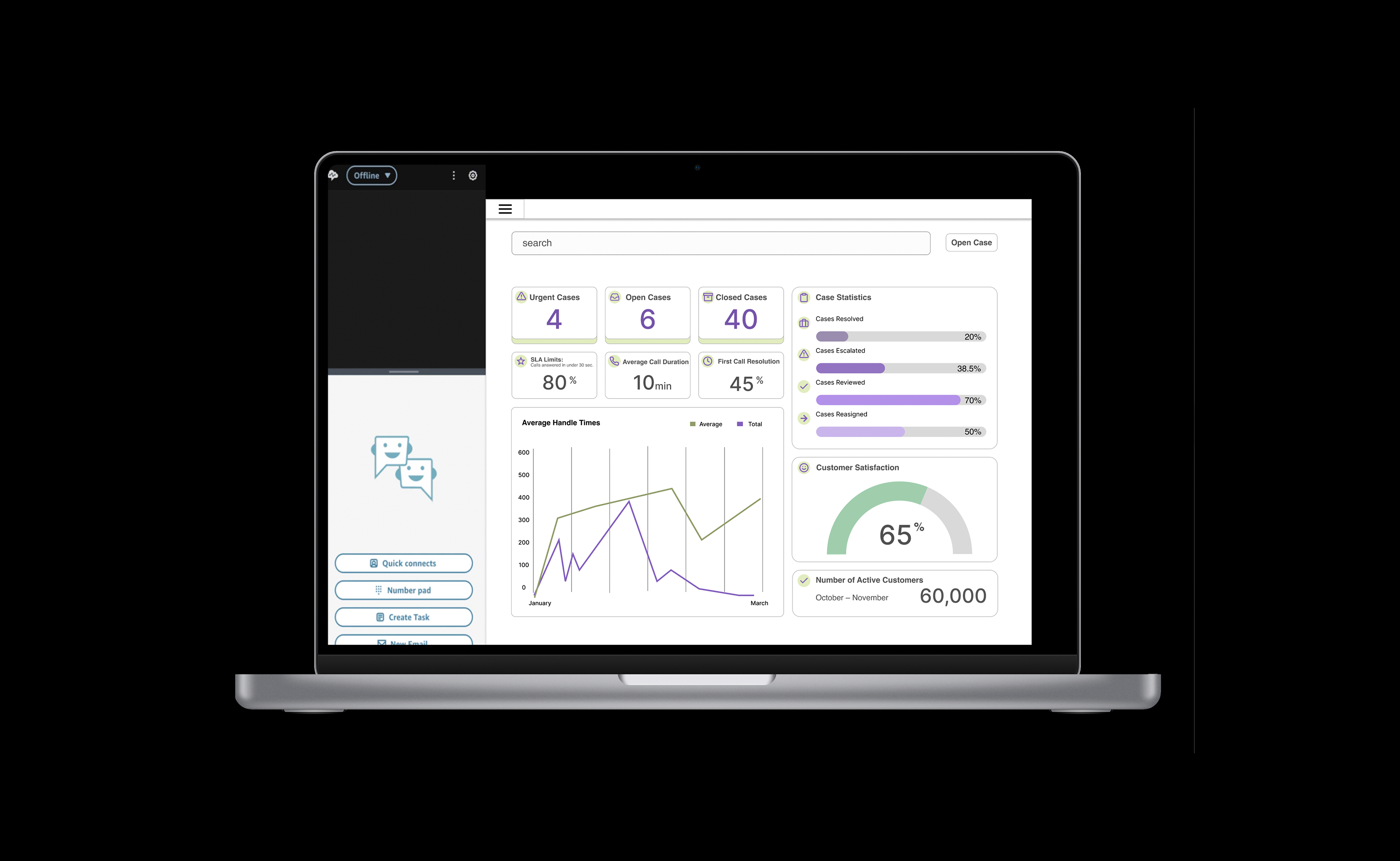
I redesigned key parts of the Amazon Connect agent interface to improve navigation and make customer information easier to access during live support interactions. The project focused on reducing cognitive load for agents working under strict SLA (Service Level Agreement) time constraints.
______________________________
Tools
Figma • GoodNotes • Google Slides
Figma • GoodNotes • Google Slides
User
Customer service agents working in high-volume support environments. These agents manage calls and chats simultaneously, assist with billing issues, returns, and order tracking, and rely on Amazon Connect as their primary workspace for handling customer interactions.
Customer service agents working in high-volume support environments. These agents manage calls and chats simultaneously, assist with billing issues, returns, and order tracking, and rely on Amazon Connect as their primary workspace for handling customer interactions.
Problem
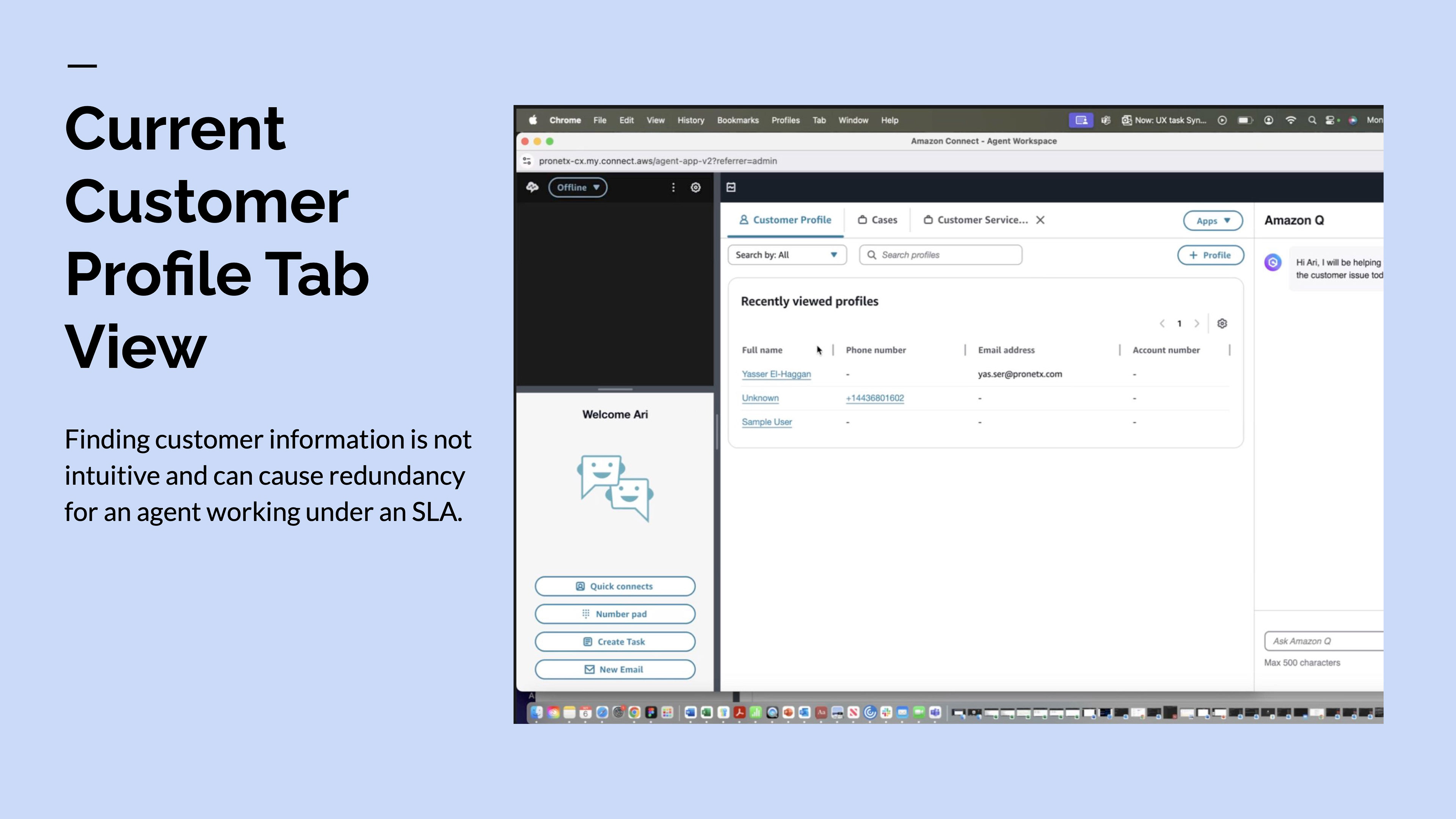
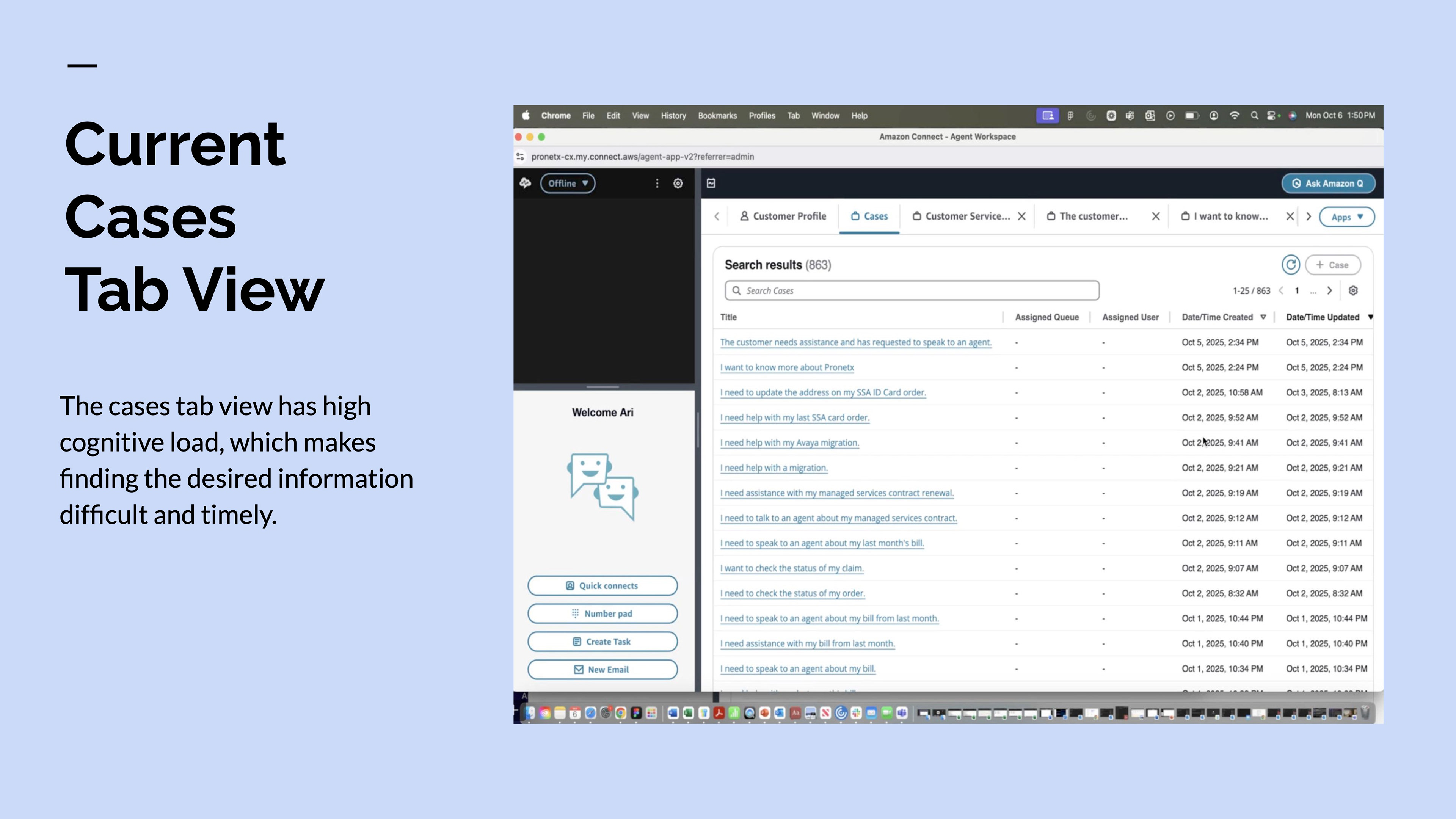
Amazon Connect’s existing navigation and layout made it difficult for agents to quickly locate essential customer and case information. Important details were spread across multiple tabs and views, increasing cognitive load and slowing response times. This made it harder for agents to meet SLA requirements and deliver efficient, personalized support.
Amazon Connect’s existing navigation and layout made it difficult for agents to quickly locate essential customer and case information. Important details were spread across multiple tabs and views, increasing cognitive load and slowing response times. This made it harder for agents to meet SLA requirements and deliver efficient, personalized support.
Needs
Agents needed a streamlined interface that allowed them to:
Agents needed a streamlined interface that allowed them to:
• Instantly access the correct customer profile when a call or chat begins • View past interactions and open cases in one place • Reduce time spent switching between tabs or copying information • Work efficiently without unnecessary mental strain
Process
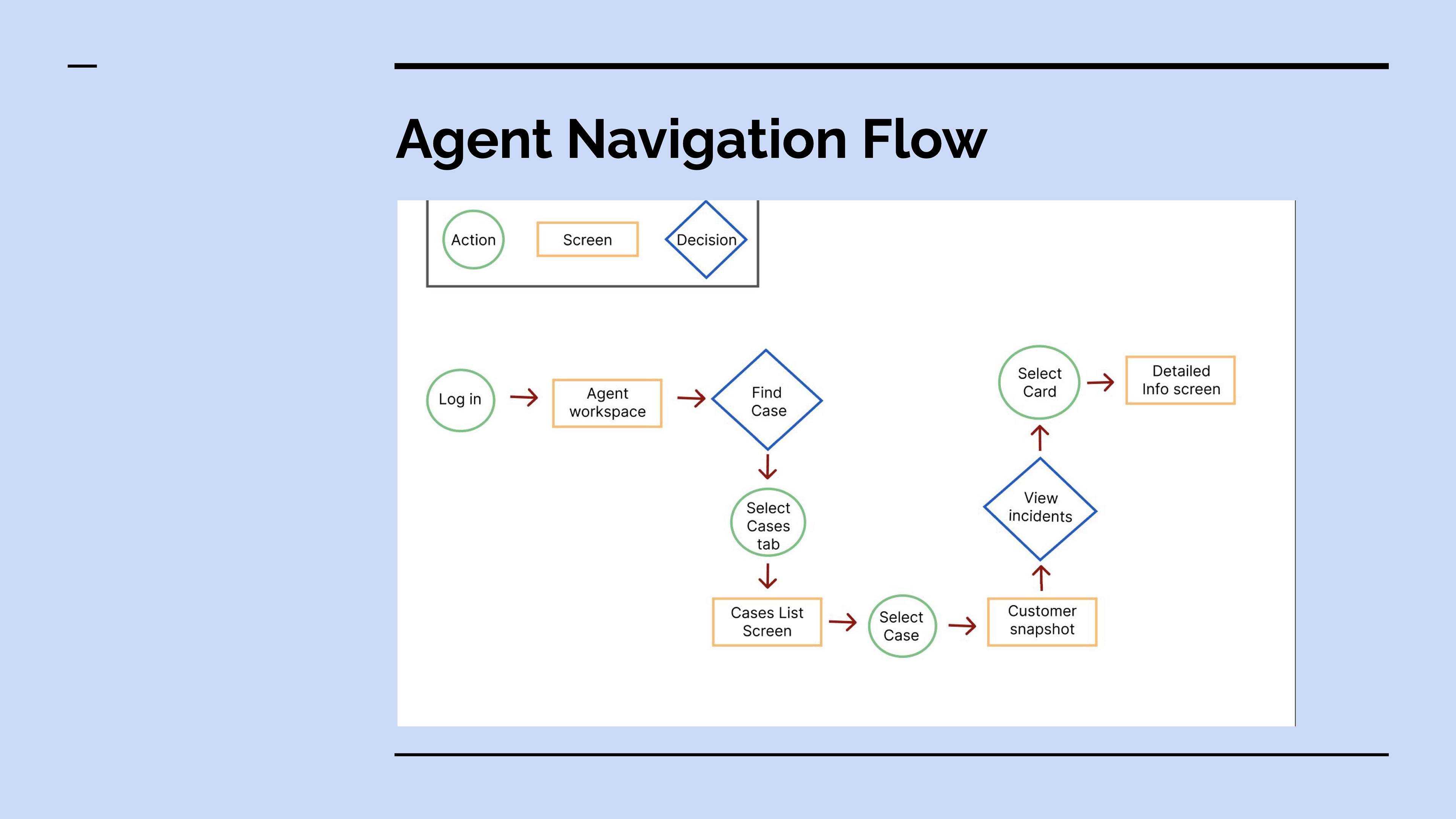
I began by analyzing the existing customer profile and cases tab views, identifying pain points in information hierarchy, redundancy, and navigation flow. The current layouts required excessive scanning and tab switching, which created friction for agents handling time-sensitive interactions.
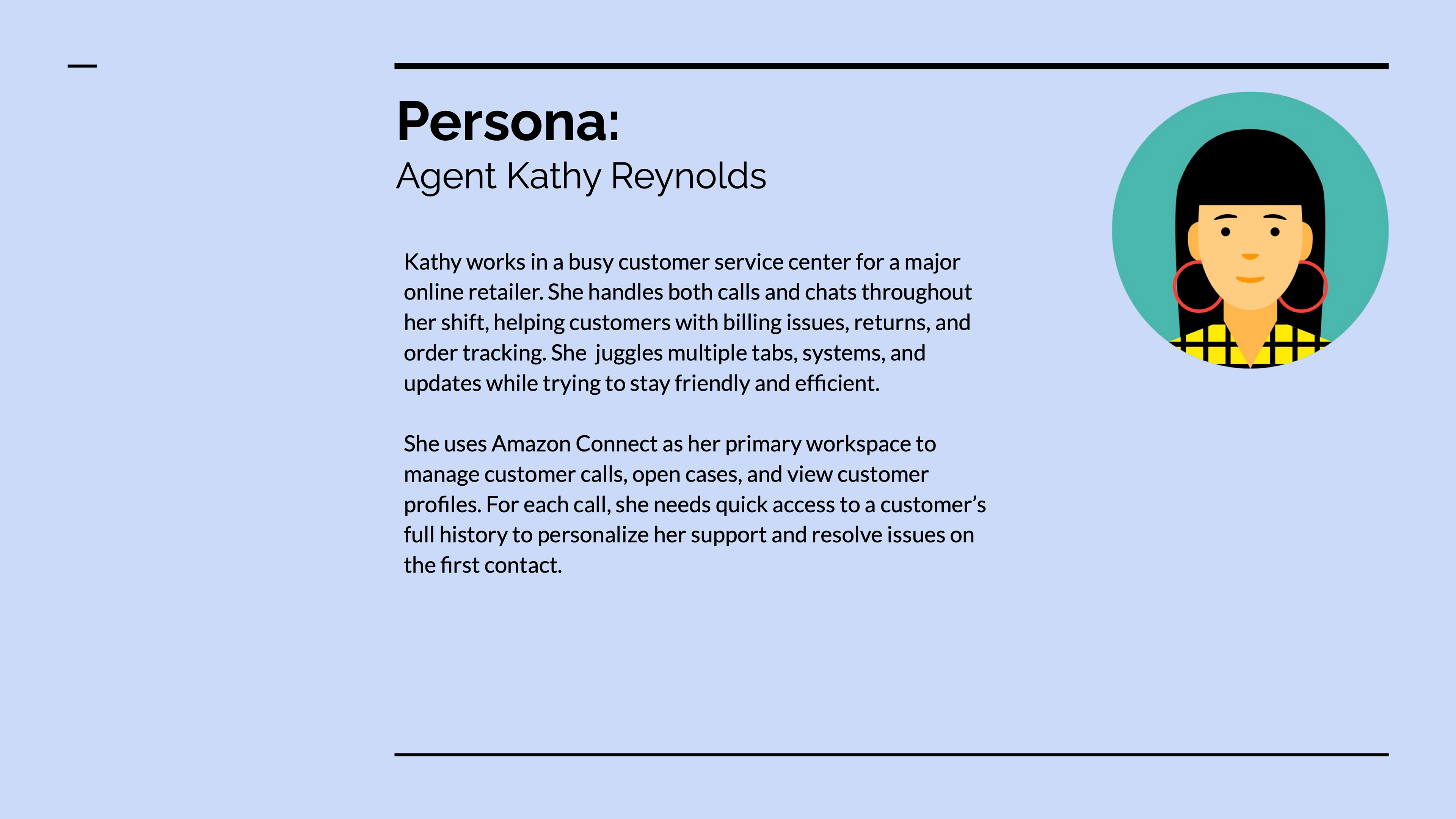
Using persona-driven design, I developed Agent Kathy Reynolds, a customer service representative managing high call and chat volumes. Her workflow and SLA pressures guided decisions around layout prioritization, content grouping, and visibility of key data.
Through sketching and wire-framing, I:
• Broke down all required agent information • Grouped related data into logical sections • Prioritized high-frequency tasks and decision-making needs • Reduced unnecessary navigation layers
The goal was to consolidate critical customer data into a single, focused workspace.
______________________________
Skills
UX research synthesis • persona development • information architecture • interaction design • workflow optimization • cognitive load reduction • task-prioritized layout design.
UX research synthesis • persona development • information architecture • interaction design • workflow optimization • cognitive load reduction • task-prioritized layout design.
Roadblocks
The main challenge was balancing information density with clarity. Agents need access to a large amount of data, but presenting everything at once risked overwhelming the interface. Careful hierarchy, grouping, and progressive disclosure were used to maintain clarity without hiding critical details.
The main challenge was balancing information density with clarity. Agents need access to a large amount of data, but presenting everything at once risked overwhelming the interface. Careful hierarchy, grouping, and progressive disclosure were used to maintain clarity without hiding critical details.
Project Assessment
This project demonstrated how thoughtful information architecture and task-based design can significantly improve efficiency in high-pressure environments. Designing for SLA-driven workflows required prioritizing speed, clarity, and reduced mental effort above visual complexity.
This project demonstrated how thoughtful information architecture and task-based design can significantly improve efficiency in high-pressure environments. Designing for SLA-driven workflows required prioritizing speed, clarity, and reduced mental effort above visual complexity.
Responsive Design
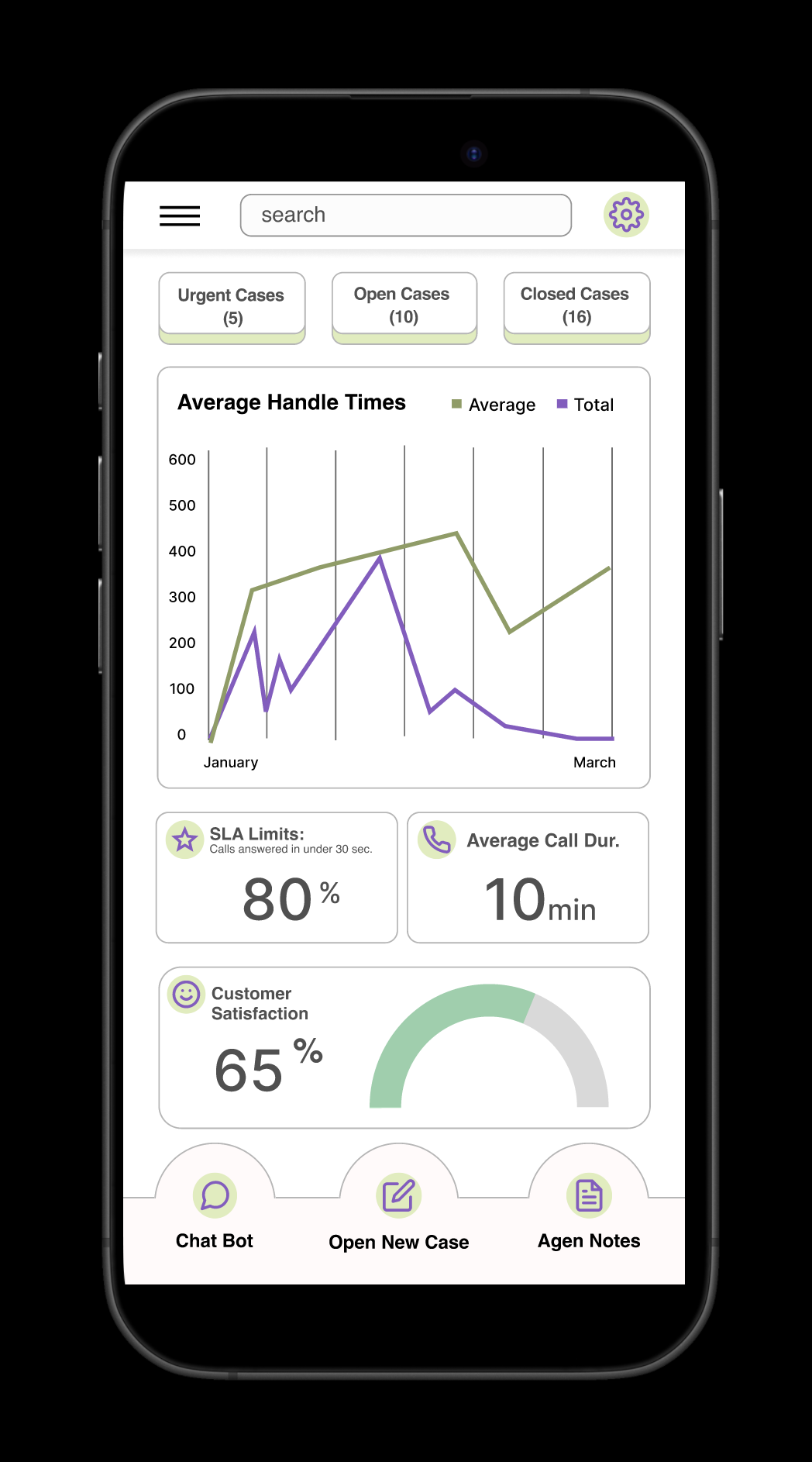
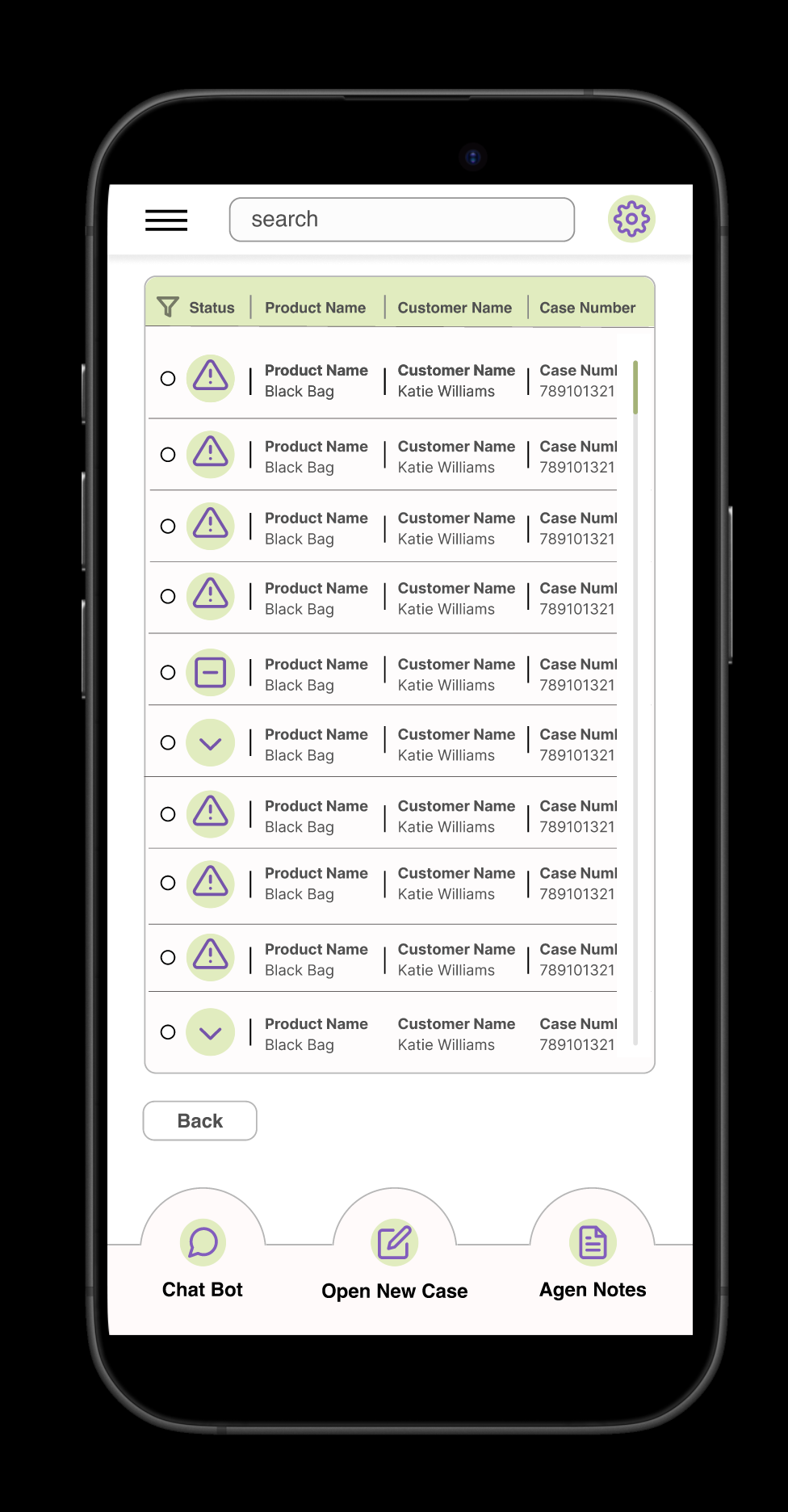
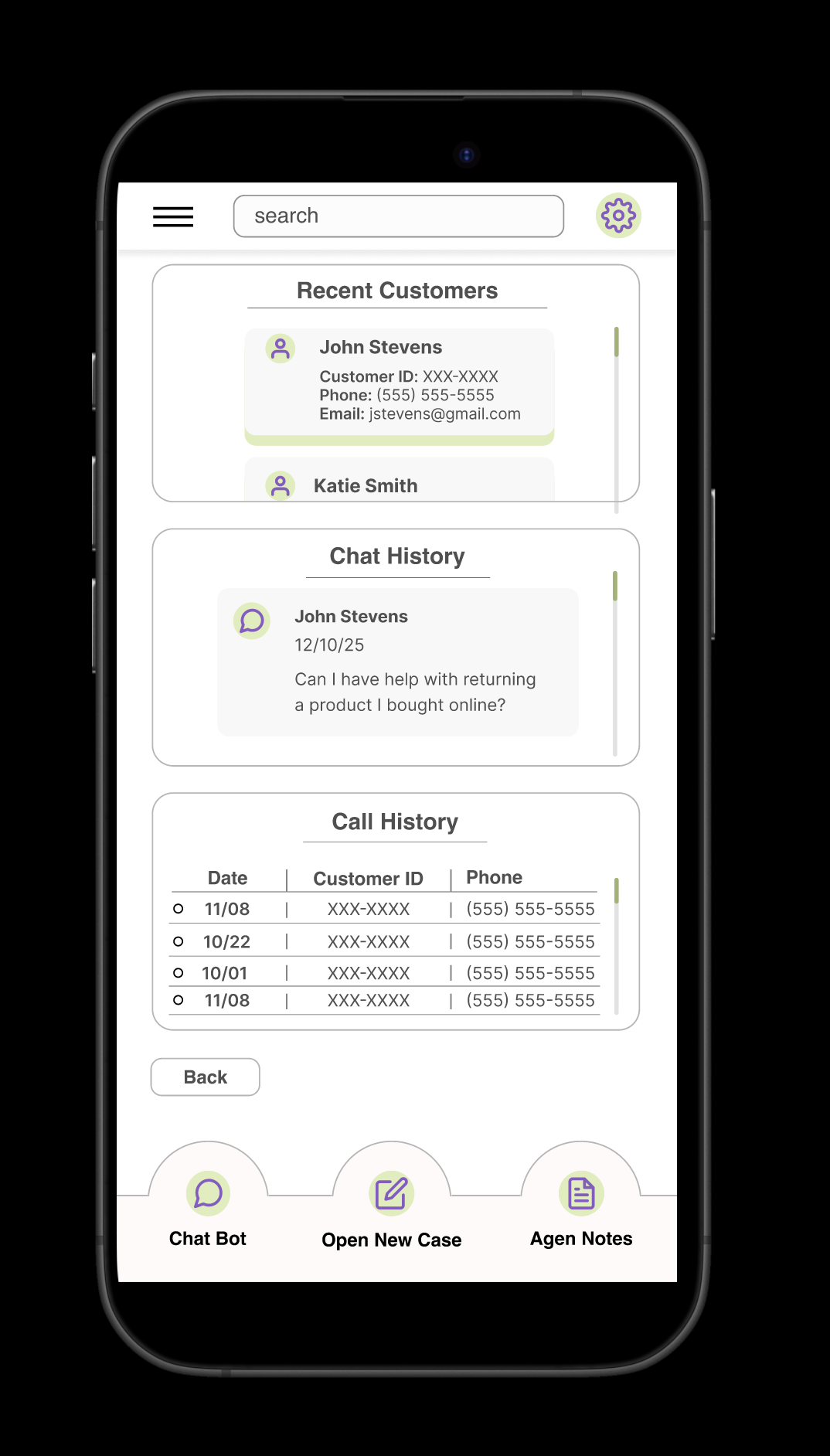
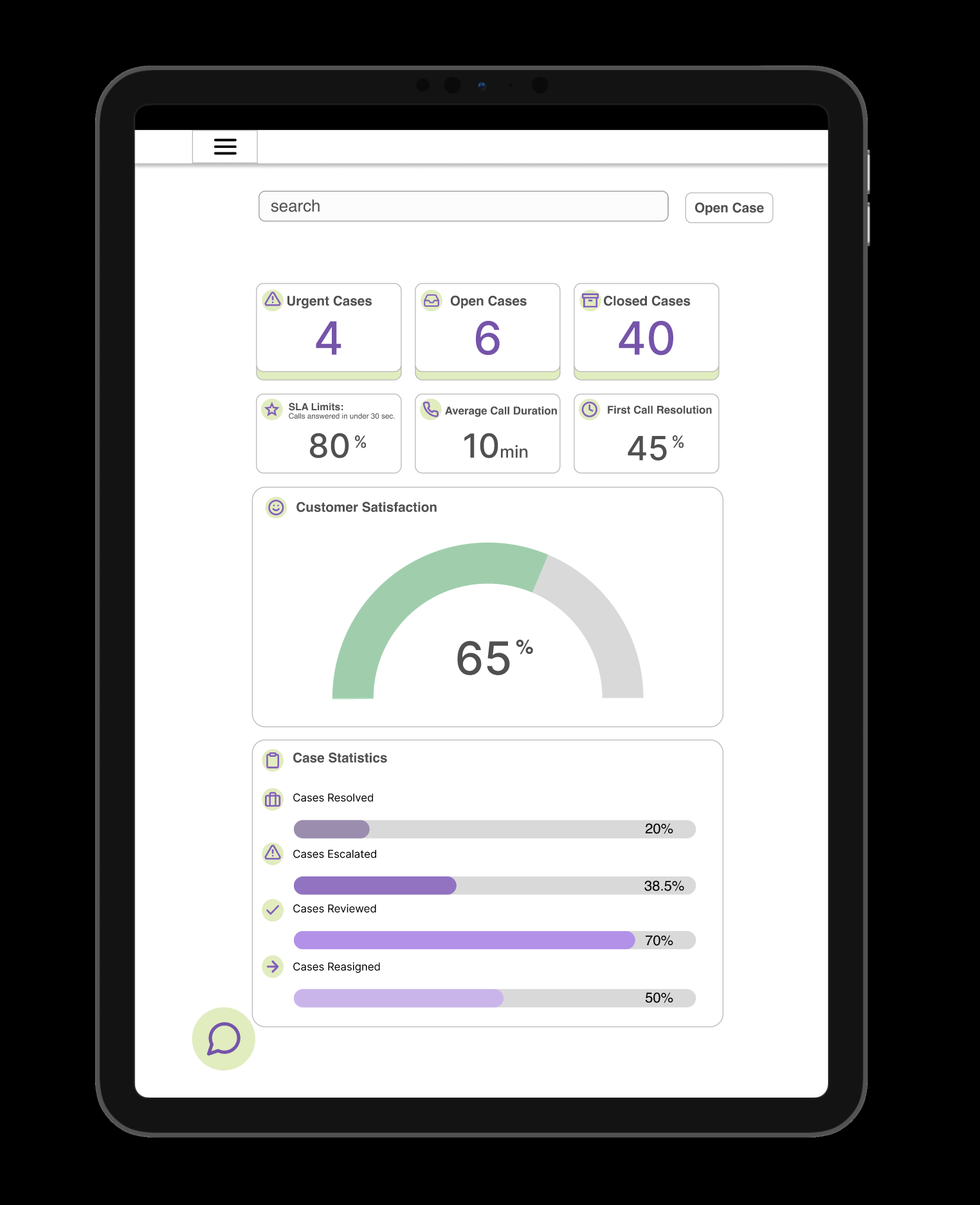
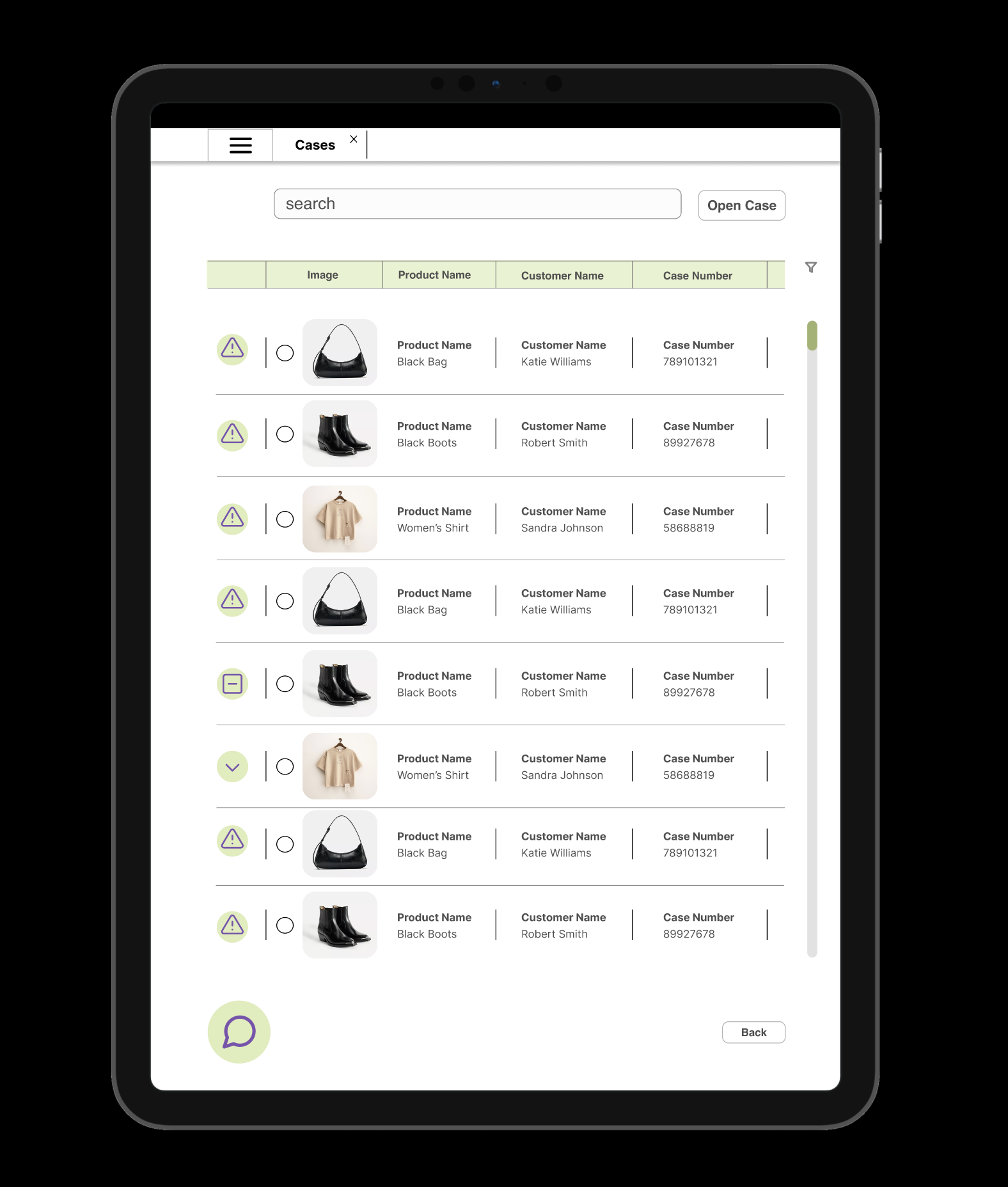
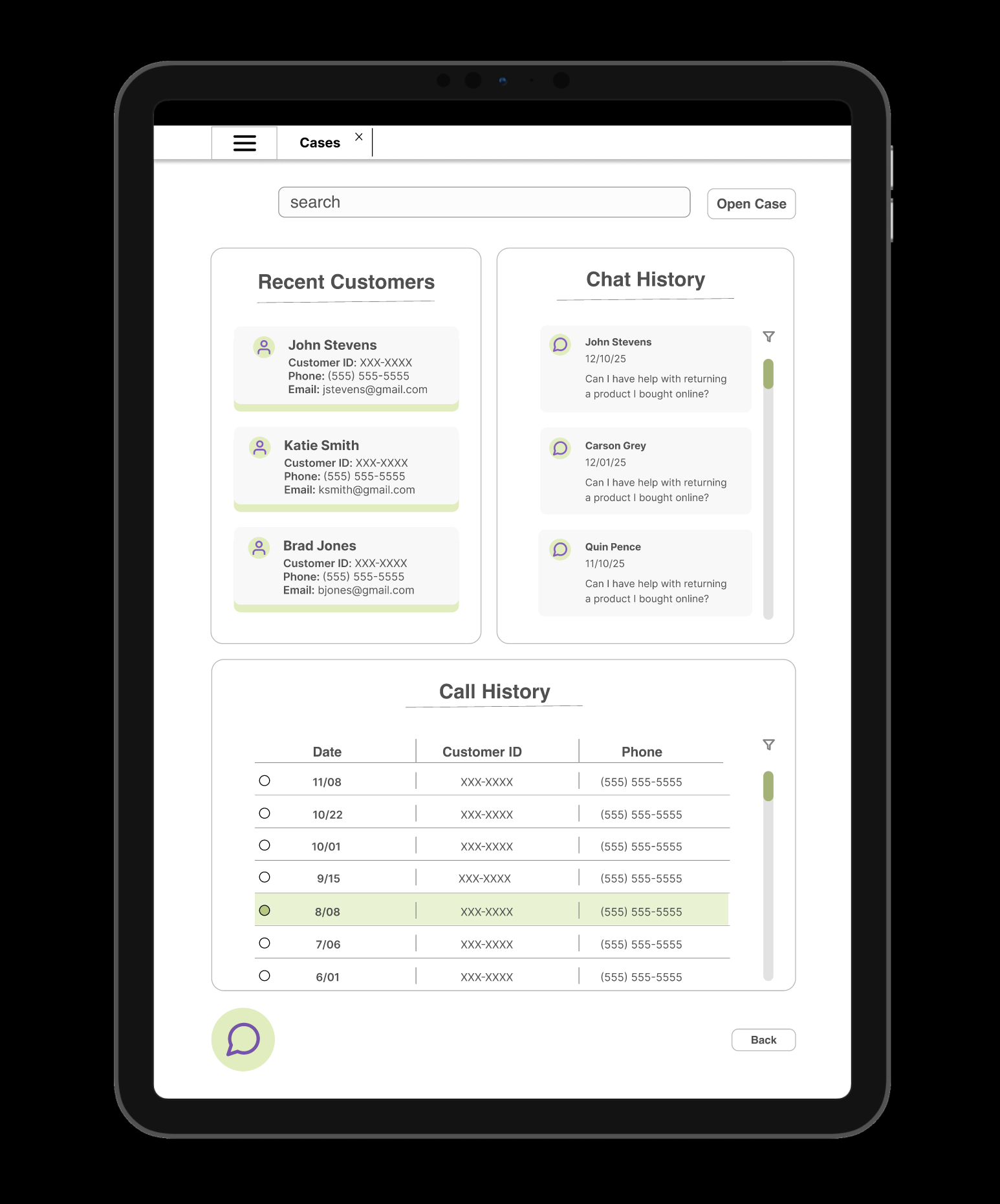
The interface was optimized for both iPhone 16 and 11-inch iPad screens, maintaining clear information hierarchy and usability across mobile and tablet experiences.
Solution
The redesigned interface consolidates customer details, interaction history, and case information into a more intuitive layout. Clear visual hierarchy and logical grouping reduce the need for tab switching and redundant searching.
By minimizing cognitive load and surfacing the most relevant information first, agents can navigate the system more confidently and resolve cases faster during live interactions.
______________________________
Impact
The improved structure supports faster case handling, reduces agent frustration, and enables more personalized customer support, all of which contribute to higher customer satisfaction and better SLA performance.
The improved structure supports faster case handling, reduces agent frustration, and enables more personalized customer support, all of which contribute to higher customer satisfaction and better SLA performance.
Goals Achieved
Created a more intuitive navigation structure, reduced cognitive load, and designed a task-focused interface that better supports real-time customer service workflows.
Created a more intuitive navigation structure, reduced cognitive load, and designed a task-focused interface that better supports real-time customer service workflows.
Takeaways
This project reinforced the importance of designing for speed and clarity in high-stakes environments. I learned how strong information hierarchy and workflow alignment can directly influence both user efficiency and business performance.
This project reinforced the importance of designing for speed and clarity in high-stakes environments. I learned how strong information hierarchy and workflow alignment can directly influence both user efficiency and business performance.